 simba
simbaBest CS2 Crosshair Codes [September 2026 Updated]
![Best CS2 Crosshair Codes [September 2026 Updated]](https://refrag.gg/cdn-cgi/imagedelivery/5wML_ikJr-qv52ESeLE6CQ/wordpress.refrag.gg/2024/10/crosshaircodes-feature.png/public)
Crosshairs come in many different shapes and sizes, but what is optimal? Counter-Strike 2 features a Crosshair Code system, allowing for users to share their custom crosshair amongst each other. An added perk of this system is it’s easy to replicate a pro player’s CS2 crosshair without copy and pasting a laundry list of commands. In this blog post, we’ll be going over why you should care about your crosshair style, current pro crosshair codes for 2026, how to import them, and some tips for choosing the correct type.
Why the Default CS2 Crosshair Holds You Back
CS2’s default crosshair is suboptimal for competitive gameplay. By default, the crosshair is dynamic, meaning it changes size and shape based on weapon, and while moving and shooting. A dynamic crosshair can be used effectively, but a static crosshair is much more natural fit for most players. A static crosshair allows the user to more easily keep track of where they’re aiming, something that is crucial for something like crosshair placement.
What changed in the September 2026 CS2 Crosshair Update?
Before the update, thickness and length values used an arbitrary scale that was converted to pixels based on your display resolution, so the same value produced different pixel counts at different resolutions. That’s why a crosshair copied from a pro playing 1280×960 stretched never looked quite right at 1920×1080.
Now those values are real pixels instead. If you want a crosshair 1 pixel wide with 8-pixel bars and a 4-pixel gap, you set thickness to 1, length to 8, and gap to 4. When you change resolution, the game rescales those pixel counts automatically, so a 2-pixel thickness set at 1280×720 becomes 4 pixels at 2560×1440 and stays proportionally the same.
Crosshair settings have moved
Crosshair options no longer live under the Game tab. There’s a new “Crosshair/Scopes” tab in the Settings menu with the updated crosshair settings. It also lets you preview your crosshair against selectable map backgrounds and a player model, which makes checking color and contrast much faster than loading into a server.
New styles and a new default
Valve added new crosshair styles and changed the default to “Dynamic Quad,” which it says better represents weapon accuracy. The follow-up hotfix also added a static square style.
The new dynamic styles work differently from the old one. They show your weapon’s real spread and inaccuracy, and a new Dynamic Spread Limit setting caps how far the crosshair expands at maximum inaccuracy. There’s a baseline spread distance of 64 pixels to cover the weapons with the largest spread.
Outline changes
This is the part that caught most players out. Outline thickness no longer accepts decimals like 0.5. The minimum is 1 and only whole numbers work, and outline color can’t be adjusted. Valve partly responded in the hotfix: you can now draw half-outlines, which only render the top-left portion of the outline. The same hotfix fixed a bug that stopped a gap of 0 from working, so if your gap looked off on day one, check it again.
Why your old crosshair code doesn’t work
Because the settings system was rebuilt, the game now treats older codes as outdated, and importing one returns an “Invalid or old crosshair code” error. That includes every pro code recorded before September 22, and any code you saved for yourself.
Pro CS2 Crosshair Codes (Updated September 2026)
Every code below was recorded from an official match in September 2026.
donk’s CS2 Crosshair (Team Spirit)
CSGO-5VDry-5dED4-2VEbA-KhiSa-vfuyM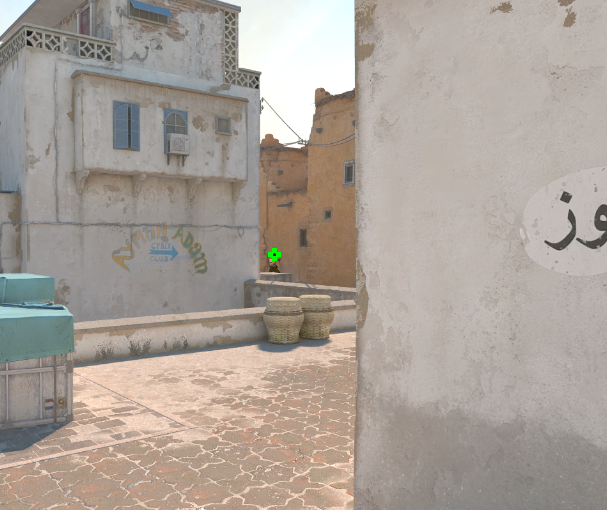
ZywOo’s CS2 Crosshair (Team Vitality)
CSGO-43Xd3-akOjE-fOHmW-GoRhM-sPcAB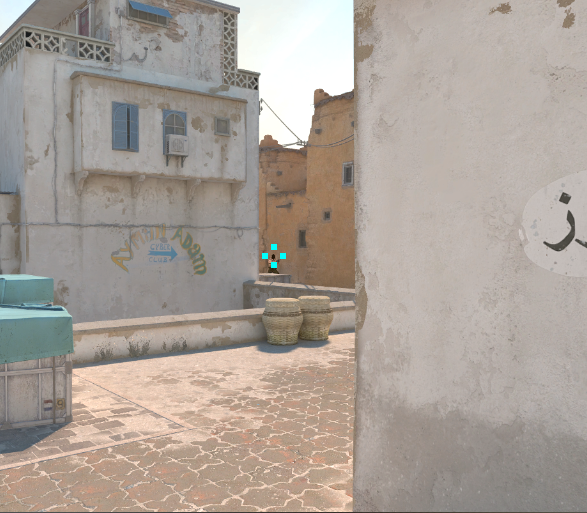
m0NESY’s CS2 Crosshair (Team Falcons)
CSGO-nzyQO-UY2Ad-JqzL3-jathu-ScBbC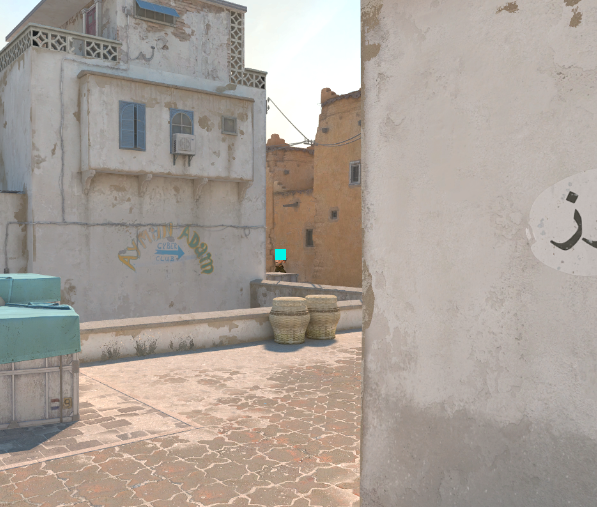
s1mple’s CS2 Crosshair (BC.Game)
CSGO-xmhFf-OsHJc-KZnPO-Kb6h6-bSC6Q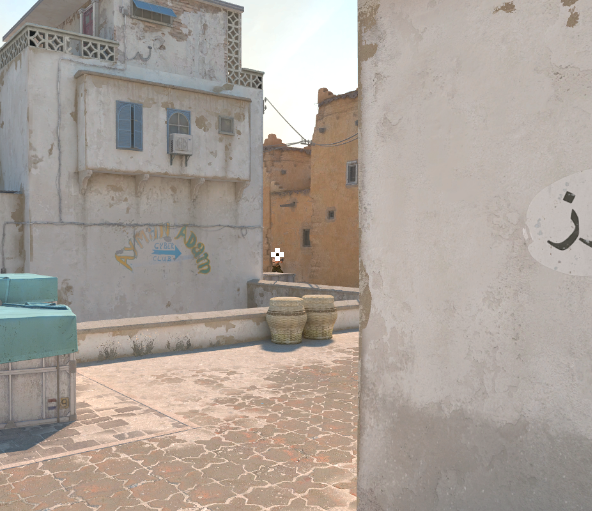
ropz’s CS2 Crosshair (Team Vitality) (OLD)
CSGO-nCfX7-54ue9-aC5eV-6Womf-Q6izO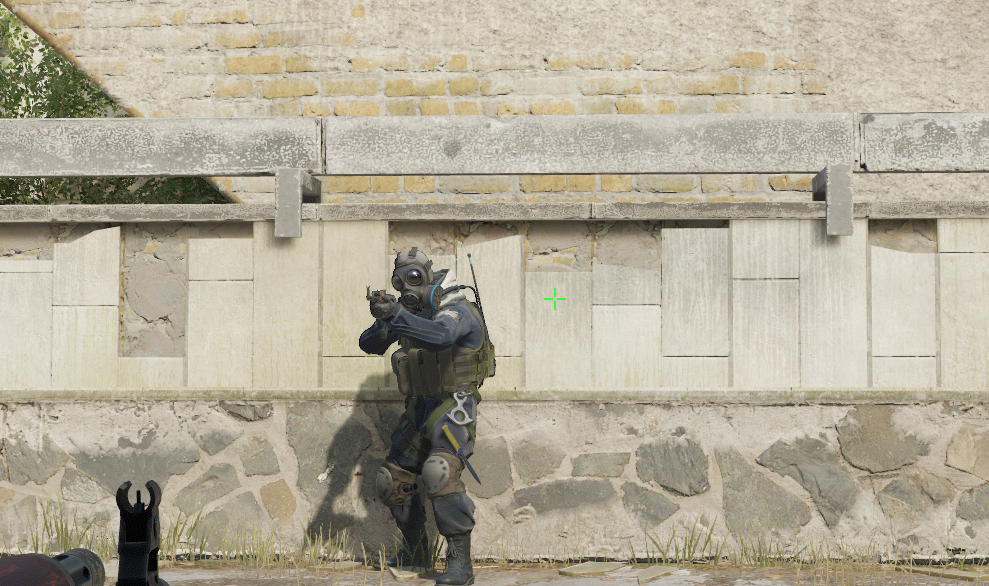
How to Test Your New CS2 Crosshair
The best way to test your new crosshair is with any of Refrag’s in-game training modes, and you can use code crosshaircode1000 for a 3 day trial. A great place to start would be our Prefire 2.0 mode. Prefire allows you to see how your crosshair looks while pre-aiming, both on player models and on the map itself. If you’re finding it difficult to see or your performance is worse across a large sample size of tests, it might be worth tweaking your crosshair size or color.
How to Import a CS2 Crosshair Code
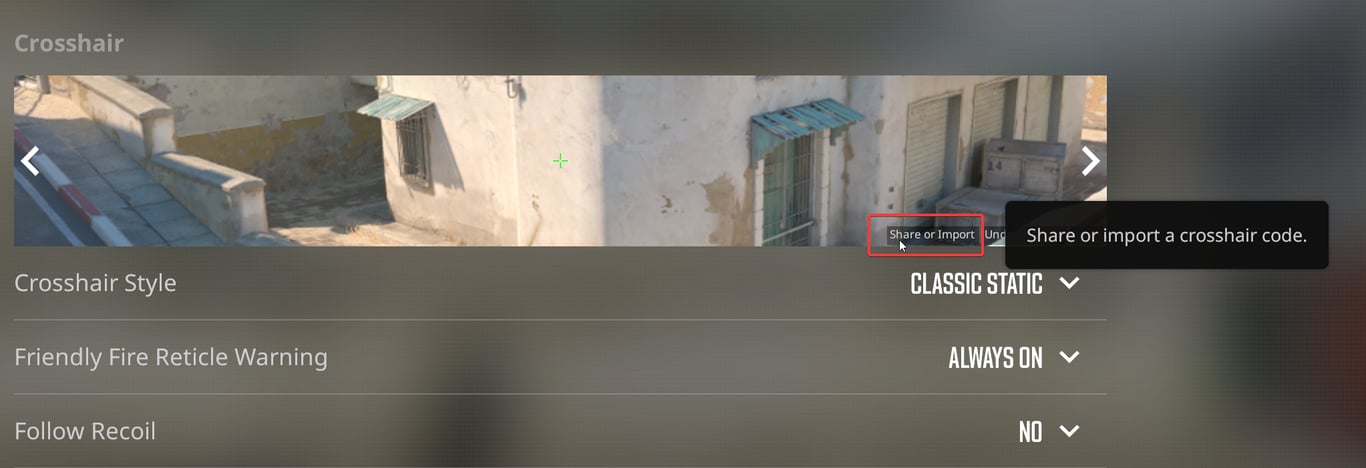
Copy the code you want, then open CS2 and click the gear icon on the left of the main menu. Go to the Game tab, scroll to the Crosshair section, and click Share or Import. Paste the code into the text box and click Import. Your crosshair changes immediately and saves to your config, so you do not need to enter any console commands. If you want to tweak the imported crosshair afterwards, you can adjust size, thickness, gap and color in that same menu without breaking anything.
When to Change Your CS2 Crosshair Color and Size
If you’re having a hard time seeing your crosshair while switching targets or spraying, it might be a good idea to change the color or size. Additionally, it may be necessary to change crosshair color based on map. Maps like Ancient feature a lot of rich greenery, which make green crosshairs easier to lose on screen. Same principle applies to yellow crosshairs on maps like Dust2 and Mirage. Changing up your crosshair color by map is a great way to make sure you don’t continually lose it in the midst of battle.
CS2 Crosshair FAQ
Should I use a static or dynamic crosshair in CS2?
Static, in almost every case. A dynamic crosshair expands to show your weapon’s current inaccuracy, which sounds useful but mostly adds movement to the middle of your screen while you are trying to aim. Every pro code listed above uses a classic static style. Learn when you are inaccurate through movement and spray habits instead of reading it off your crosshair.
Does crosshair size affect accuracy in CS2?
No. Your crosshair is a visual overlay and has no effect on where your bullets go. What it does change is how easily you can see your aim point and how much of a distant head it covers. A large crosshair can hide the exact spot you are trying to hit, and a very small one can be hard to follow during a fight.
What is the best CS2 crosshair color?
There is no single best color. Green and cyan are the most common choices at the top level because they contrast well against most map textures and player models. The color that matters is the one you never lose track of on the maps you play most, which is why some players run a different color on Ancient than they do on Dust2.
Should my CS2 crosshair have a centre dot?
It is preference. A dot gives you a clear single point to place on a head, which some players find helps with taps and pre-aiming. It also sits directly on top of what you are shooting at, so at long range it can hide the target. None of the five pros above use one.
Do CS2 crosshair codes work in Premier and FACEIT?
Yes. Your crosshair is saved to your local CS2 config, so once you import a code it applies everywhere you play, including Premier, Competitive, Deathmatch, community servers and third party platforms like FACEIT.
How often should I change my CS2 crosshair?
Less often than most players do. Give a new crosshair at least a couple of weeks of real games before deciding whether it works. Swapping every few days means you are always adjusting to something new, and you will never build the familiarity that makes crosshair placement automatic.
Recommended Posts
 simba
simbaCS2 Economy Crash Course: What are Kill Rewards and Loss Bonus?
 Refrag


